Getting started: Quarto Websites
A Quarto-based website template. Recommended for all new projects.
1. Create a repository from the template
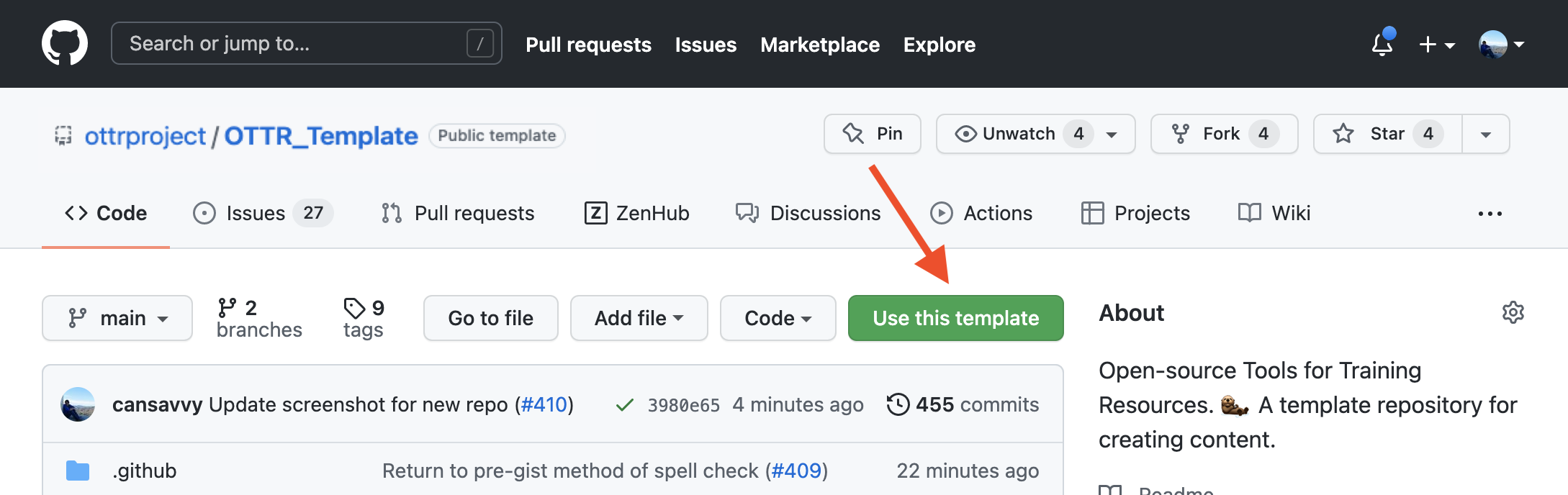
On the landing page of the OTTR_Quarto repository, locate the green Use this template button in the upper right corner. Click it, then select Create a new repository and follow the instructions.
2. Name your repository and fill in a short description
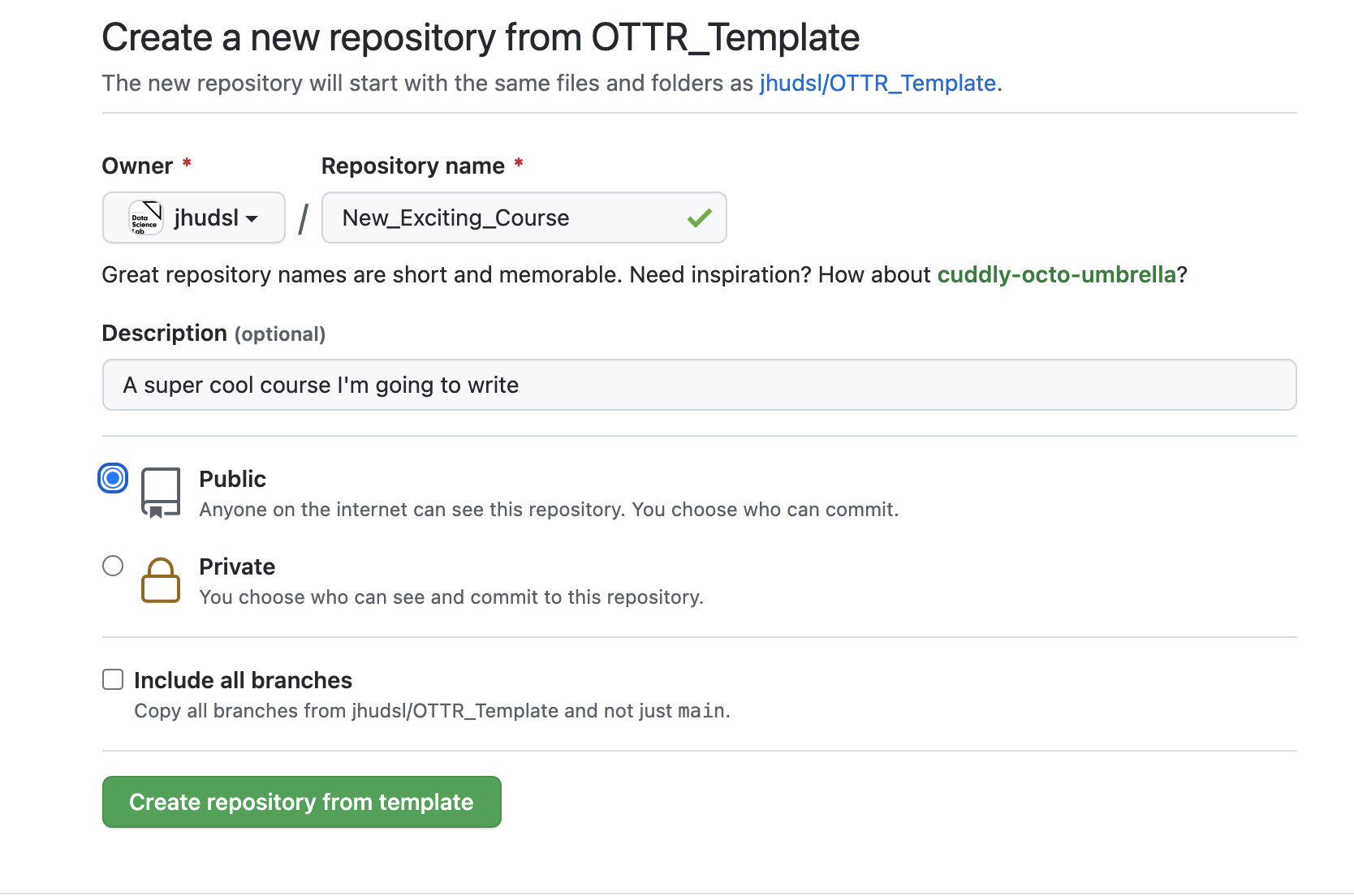
Enter a name in the Repository name field and provide a brief description in the Description box.
3. Ensure your repository is set to public
Make sure to set it to a public repository. The rendered pull request preview won’t work on private repositories.
4. Click Create repository from template to proceed
After creating your repository, issues with setup instructions will be automatically filed. Navigate to the Issues tab and follow the instructions there.
5. Check your GitHub Actions settings
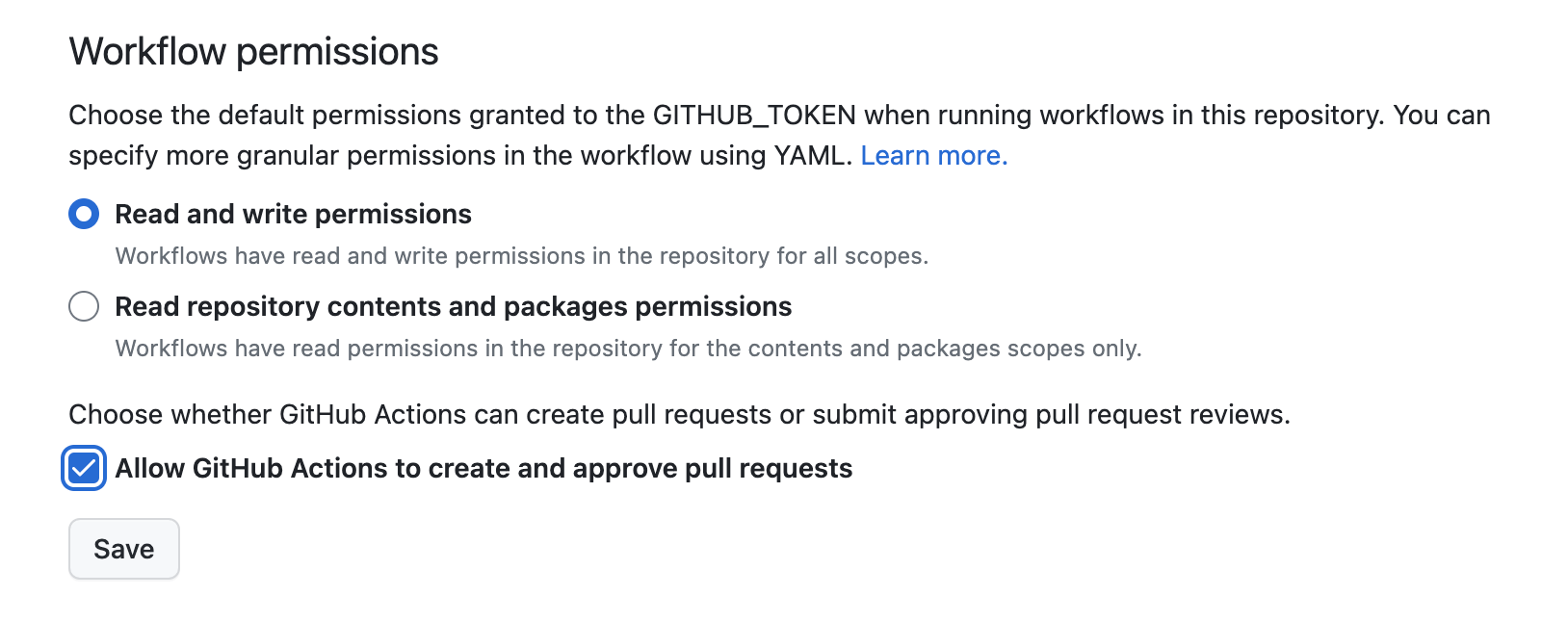
Go to Settings > Actions > General. Make sure you have:
- Given Read and write permissions
- Checked Allow GitHub Actions to create and approve pull requests
Then click Save.
6. Set up your GitHub personal access token
Go to Settings > Secrets and variables > Actions > Repository secrets and click New repository secret.
- Name:
GH_PAT(this exact name is required) - Secret: create a classic personal access token with
repoandworkflowscopes checked.
7. Set up GitHub Pages
In your repository, go to Settings > Pages and configure:
- Source: Deploy from a branch
- Branch:
main, folder/docs
Click Save, then check Enforce HTTPS at the bottom of the page.
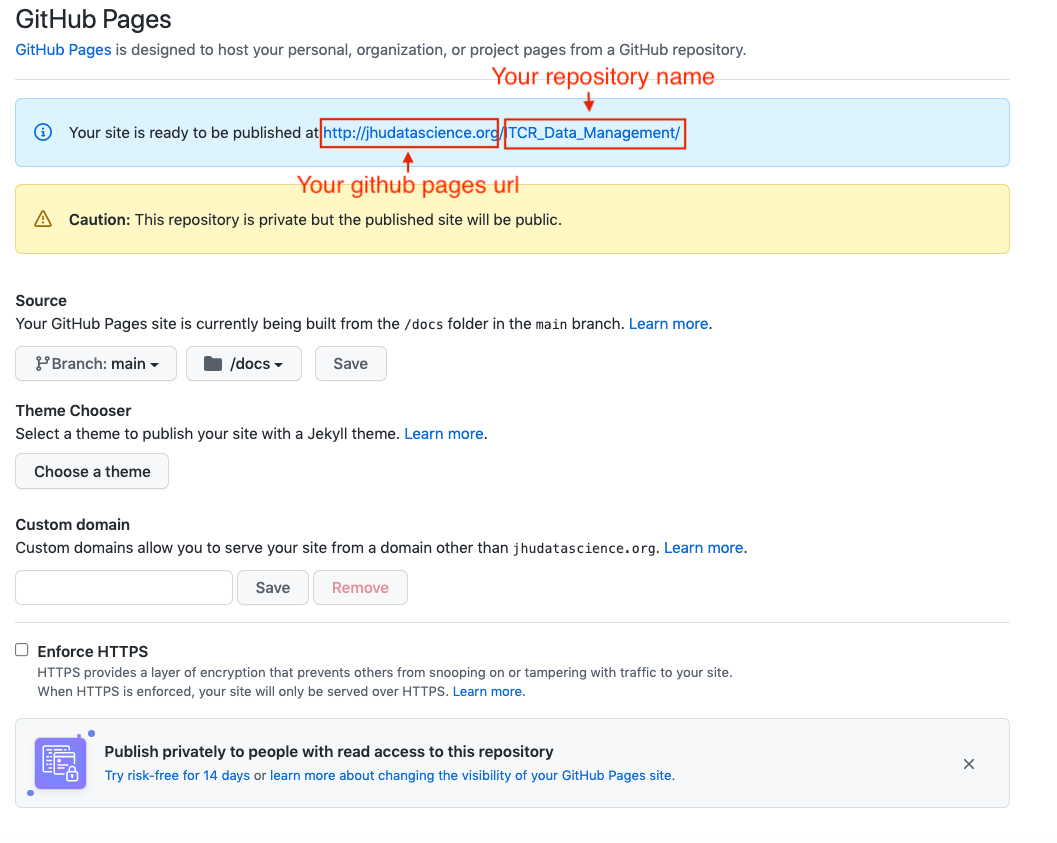
Warning: If you visit your URL before pushing any file changes, you may see a 404 error. Check after filing your first pull request.
8. Enroll for updates (recommended)
Add jhudsl-robot as a collaborator with write access (Settings > Collaborators & Teams), then add your repository name to the relevant sync file. See full instructions here.
Start writing!
Content is written in .qmd files using standard Quarto syntax.