More Features: Citing
Citing sources
You can generally follow the Bookdown instructions about citations, but you do not need to add the additional bibliography argument at the top of the .Rmd. For Quarto courses, keep the bibliography setting in _quarto.yml.
Goal: Add each source once to book.bib, cite it in your writing with a citation key, and let OTTR automatically build the reference lists.
This section explains how to include references and sources that you cite in your course, not how you want people to cite your OTTR course or website.
1. Add the source to book.bib
To add a new reference source:
- Open the
book.bibfile. - Add the new BibTeX entry.
- Keep entries in alphabetical order.
For articles, papers, and other sources with a DOI, use doi2bib.org or ZoteroBib to generate a BibTeX-formatted reference that you can copy into book.bib.
You can also use reference managers like Zotero or EndNote to export a .bib file. From there, you can either combine that file with book.bib or manage your references separately.
Other sources can be added using this template:
@website{citekey,
    author = {First Last},
    title = {Title},
    url  = {www.website.com},
}
2. Cite the source in your writing
To reference citations in your writing, follow the Bookdown citation syntax.
Items can be cited directly within the documentation using the syntax
@key, wherekeyis the citation key in the first line of the entry, e.g.,@R-base. To put citations in parentheses, use[@key]. To cite multiple entries, separate the keys by semicolons, e.g.,[@key-1; @key-2; @key-3]. To suppress the mention of the author, add a minus sign before@, e.g.,[-@R-base].
| Citation style | Use this syntax |
|---|---|
| In-text citation | @key |
| Parenthetical citation | [@key] |
| Multiple citations | [@key-1; @key-2; @key-3] |
| Suppress author name | [-@key] |
For multiple citations, separate citation keys with semicolons, not commas.
For example:
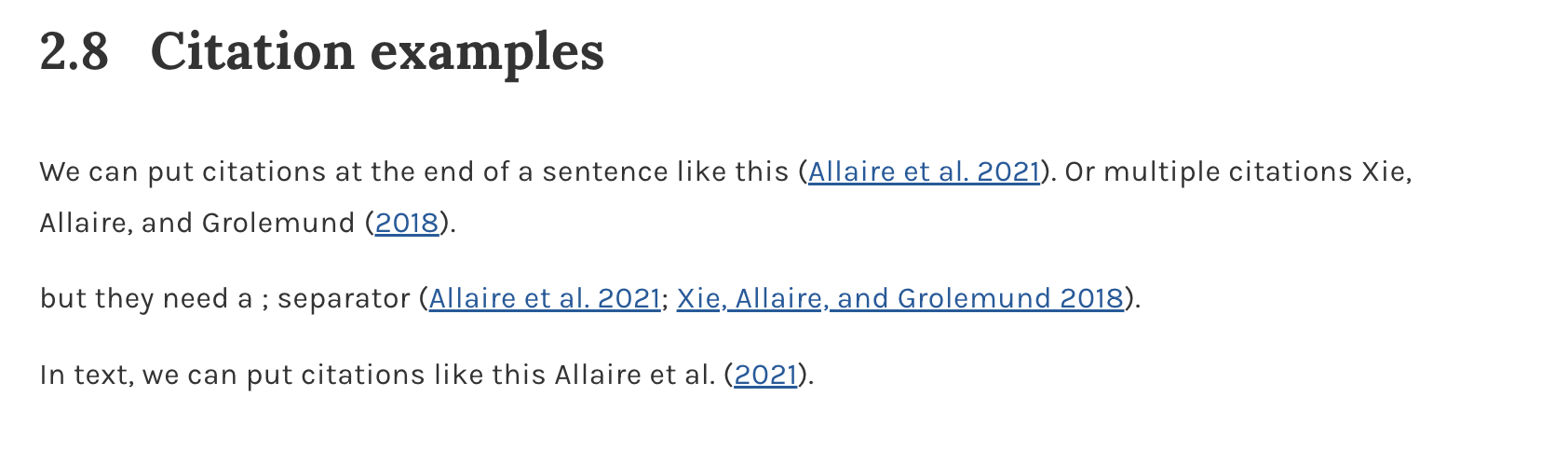
We can put citations at the end of a sentence like this [@rmarkdown2021].
Or multiple citations like this [@rmarkdown2021; @Xie2018].

In text, we can put citations like this @rmarkdown2021.
The rendered citations will look like this:
3. Keep the reference list in place
Citations will automatically create reference lists:
- at the bottom of each chapter included in your course
- at the end of your course
For Quarto courses
Keep the references.qmd file, and keep it as the last part of the _quarto.yml file, just as it appears in the template.
Make sure your _quarto.yml includes:
bibliography: references.bibThe references.qmd file should include a references header. For example:
# References {.unnumbered}

Shannon, C. E. (1948). A Mathematical Theory of Communication. Bell System Technical Journal, 27(3), 379–423. [https://ieeexplore.ieee.org/document/6773024](https://ieeexplore.ieee.org/document/6773024)

Turing, A. M. (1950). Computing Machinery and Intelligence. Mind, 59(236), 433–460. [https://mind.oxfordjournals.org/content/LIX/236/433](https://mind.oxfordjournals.org/content/LIX/236/433)
For Bookdown courses
Keep the References.Rmd file, and keep it as the last part of the _bookdown.yml file, just as it appears in the template. This ensures that the full reference list appears in a place that makes sense.
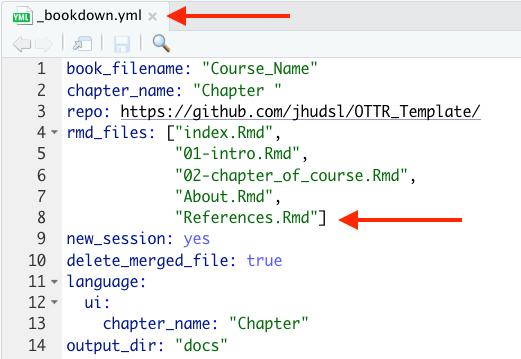
Alternatively, you can add a header for this list of references as the last header in any other .Rmd file that is listed as the final file in _bookdown.yml.
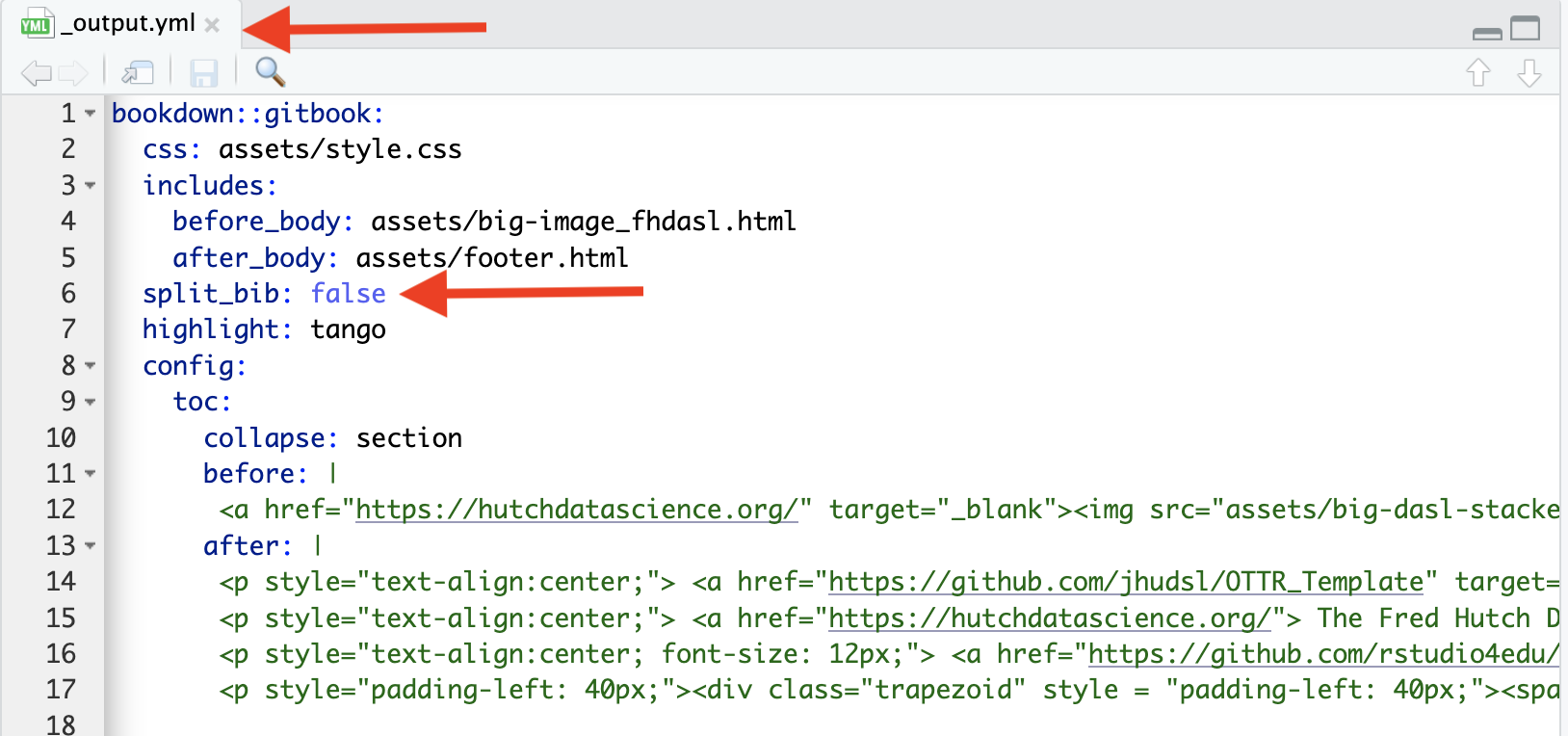
If you would like to suppress references at the end of each chapter, add split_bib: false to your _output.yml file.
← Back to: Next Steps · Also see: Giving Credits · Customizing Style