Style
Overall theme
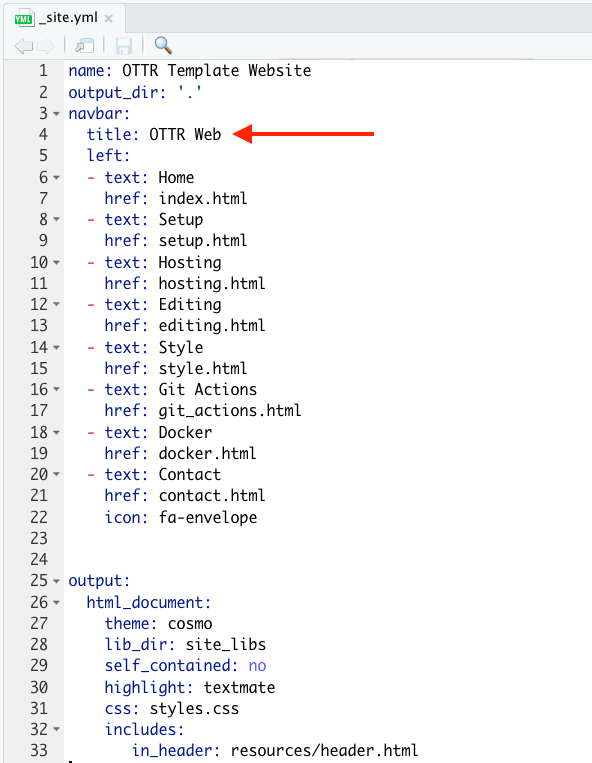
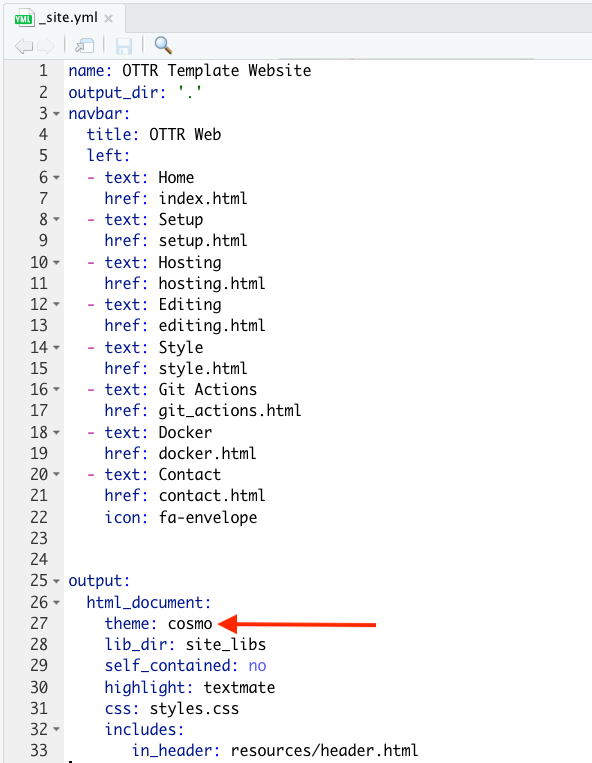
To change the color scheme/fonts of the website modify the theme in the _quarto.yml file (see here for options):
Change the favicon
The small image that shows up on the browser can also be changed.
You can make a small image to replace the existing one by going to https://favicon.io/favicon-converter/ and uploading an image that you would like.
Next, simply replace the image called favicon.ico in the images directory within the resources directory with the image you just created and downloaded from the favicon converter website.
Additional changes
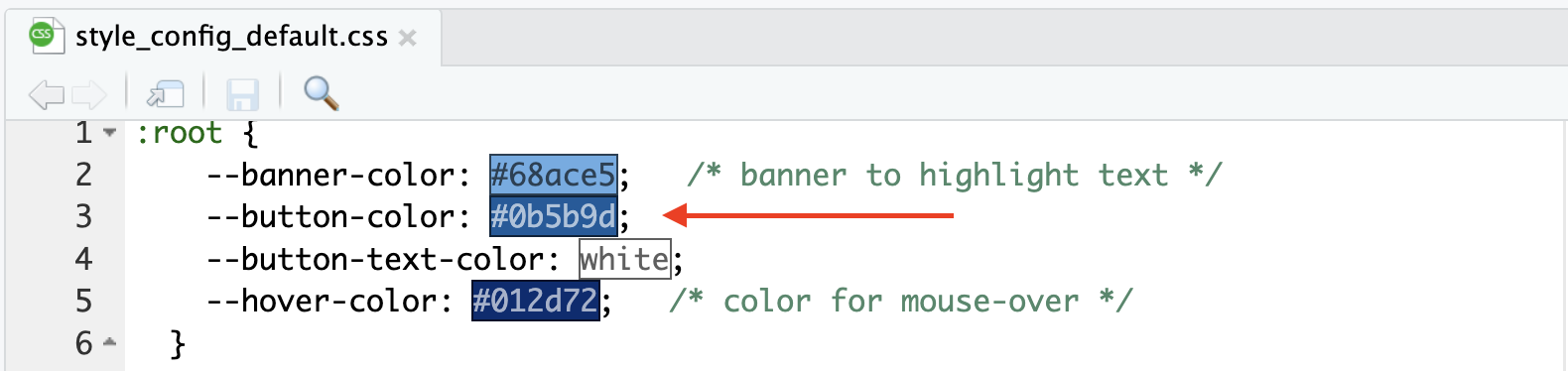
To make additional changes to the style, you can modify the CSS files in the assets folder. Use assets/style_config_default.css for color variables and assets/style.css for style rules. This website has great information about css code.
As an example, if you wanted to change the button color, you could change --button-color in assets/style_config_default.css. You can also use a hex color code like those that can be found at this website, such as #0b5b9d to get a specific shade.
If you add a new CSS class that is not already defined, use var() for any colors that should be easy to customize. For example, the center and btn classes in assets/style.css can be used to center text and create a button:
.center {
  font-weight: bold;
  text-align: center;
}

.btn {
  background-color: var(--button-color);
  border: none;
  color: var(--button-text-color);
  padding: 8px 20px;
  cursor: pointer;
  font-size: 14px;
}

.btn:hover {
  background-color: var(--hover-color);
}
Then you can apply the classes to a page. For example, the center class and btn class can be added to index.qmd by using:
<p class = "center">
Centered text!
</p>

<button class = "btn">
Button text!
</button>
You can also use classes together. For example, the banner_color class can be combined with the center class:
<div class = "banner_color center">
Banner text!
</div>
The banner_color class is defined in assets/style.css and uses the --banner-color value from assets/style_config_default.css:
.banner_color {
  background-color: var(--banner-color);
  font-weight: bold;
}
Also checkout the Quarto docs for more customization of the pages.