OTTR Sync
Enrolling For Sync
Updates

Last updated: September 11, 2026
Add jhudsl-robot as a Collaborator
Skip this step if your course is in the jhudsl or
fhdsl organization.
To enable the full functionality of GitHub Actions, add
jhudsl-robot as a collaborator with write access:
- Go to Settings > Collaborators & Teams and click Add people.
- Search for and add
jhudsl-robot. - If prompted, choose Write access, then click Add jhudsl-robot to this repository.

Which Sync File Should You Edit?
Add your repository name to the .github/sync.yml file of
the OTTR template you created your repository from:
| Template | Sync File | Use For |
|---|---|---|
| OTTR_Template | sync.yml |
R Markdown courses |
| OTTR_Template_Website | sync.yml |
Websites |
| OTTR_Quizzes | sync.yml |
Quizzes |
If You Are NOT in the jhudsl or fhdsl
Organization
Choose one of the following options:
- Google Form — Submit your org/username and repo name via the OTTR Feedback Google Form.
- Open an issue — Use the links below and provide
your repo info; the team will update
sync.ymlfor you. - Fork and PR — Fork the template repo, edit
sync.ymlon a new branch adding your repo name where it says#NEW REPO HERE#, commit, and open a pull request tagging@kweav.
If You Are in the jhudsl or fhdsl
Organization
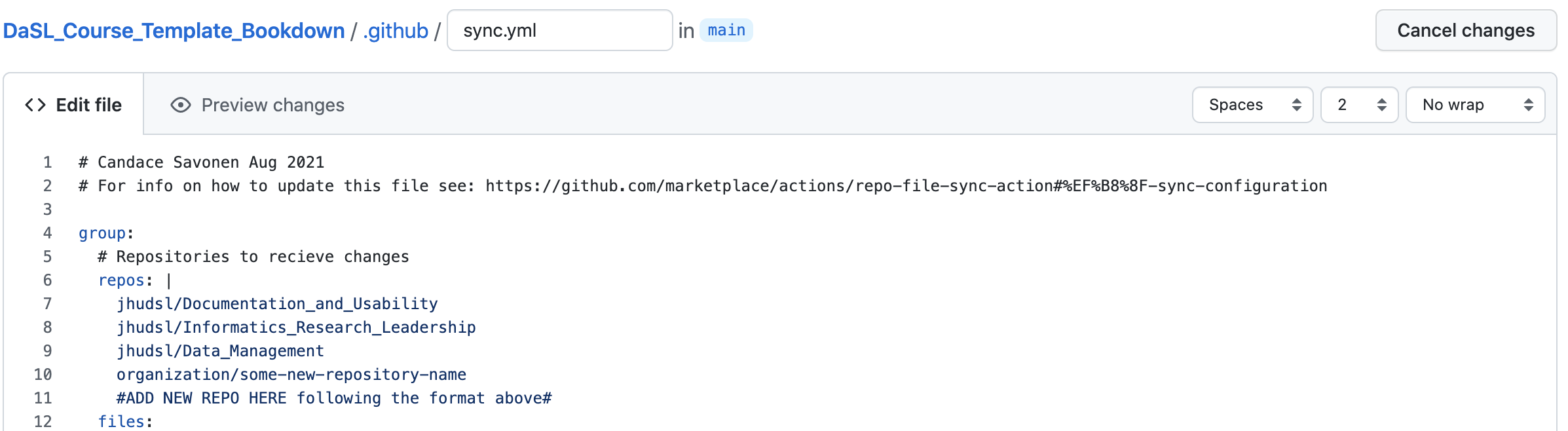
- Open the relevant sync file above and click the pencil icon to edit.
- Add your repository name where it says
#NEW REPO HERE#, indented to match other entries.
- Click Commit changes…, enter
Add new repository to syncas the commit message, and choose Create a new branch. - Click Propose changes, open a pull request, and
request
@kweavas a reviewer.
| Repository | Issue Links |
|---|---|
| OTTR_Template | General issue · Add new repo to sync · Update repo info in sync |
| OTTR_Quizzes | Open an issue |
| OTTR_Template_Website | General issue · Add new repo to sync |
If you have any questions, please tag @kweav or
@carriewright11.